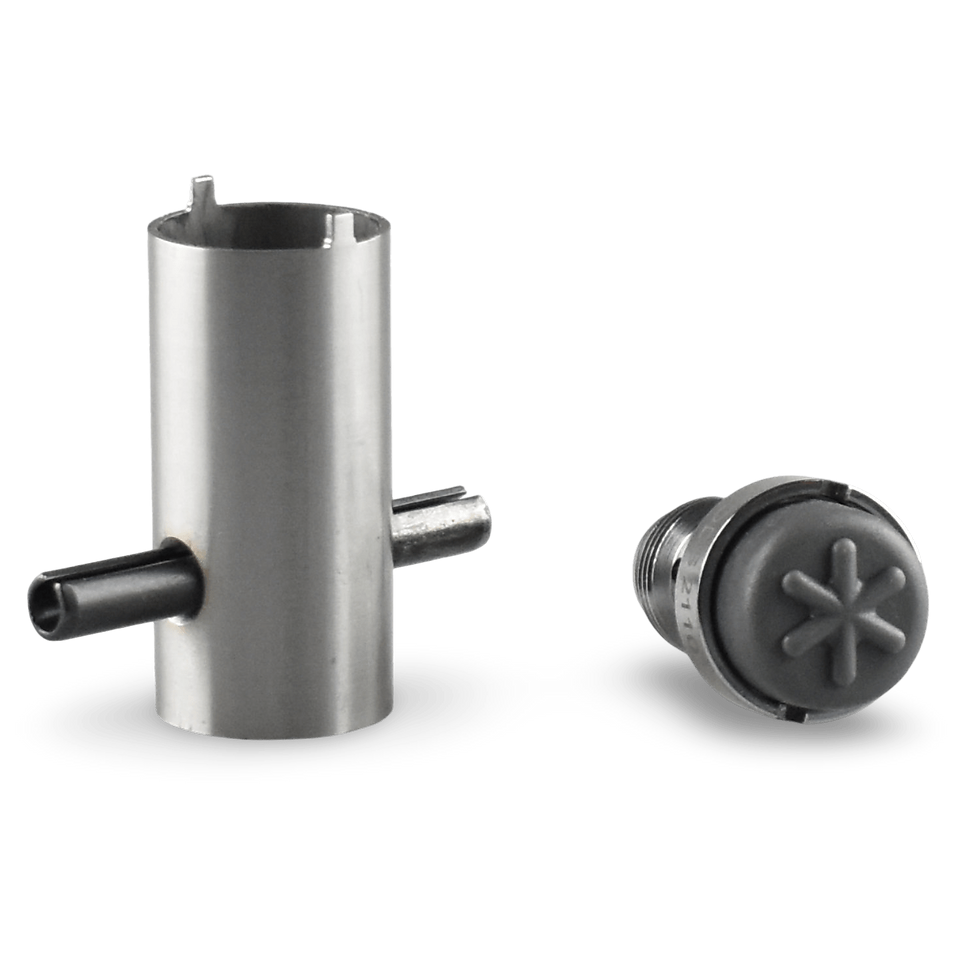
The Apeks XTX cover tool (new model) is used to open and close the front cover of the new XTX second-stage model.
Why choose the Apeks XTX cover tool - new model?
- Scratch-Free Maintenance: Traditional tools can easily slip and scratch your equipment. This tool distributes torque evenly across the cover to eliminate damage.
How to Use the Tool:
Removing and installing your front cover takes only three simple steps:
- Place the tool flat onto the front cover of the new Apeks XTX second-stage regulator.
- Gently push down until the protruding part fits snugly into the opening of the purge button.
- Turn the tool counterclockwise to loosen or clockwise to safely tighten the cover back into place.
Technical details:
- Manufacturer: Scuba Service Tools
- SKU: 1000-SST-037
- Material: Black Acetal (POM)
- Compatibility:
Apeks 6301/PVDS front cover XTX Thungsten
Apeks AP6302 front cover, XTX200
Apeks AP6302/S front cover, XTX100
Apeks AP6301 front cover, XTX50
Apeks AP6301/Y front cover yellow (XTX40 / XTX20)
Apeks AP6301/G front cover green (XTX40 / XTX50 Nitrox)
Apeks XTX cover tool - new model
SKU: 1000-SST-037
€16.00Price